

Delivery status & dispatch times
See which step each letter is at – from upload to handover to Deutsche Post.
At a glance
- Every letter goes through five statuses from "Scheduled" to "Sent"; the status ends with the handover to Deutsche Post.
- Letters received before 4 pm (German time) are handed over to Deutsche Post on the same working day. Deutsche Post usually delivers on the next working day.
- Standard letters have no tracking number; only registered mail receives a tracking number in the dashboard with a link to the postal service's tracking.
Updated:
Lifecycle
Five status steps until handover to the postal service
Every letter goes through a clearly defined process. In the dashboard and via the API you can see at any time which step your item is at.
Scheduled
Your letter has been accepted and the coins are reserved. It waits for its send time: without one, 3 minutes after submitting it in the web app, otherwise until your chosen date.
Queued
The letter is due and waits to be handed to the print provider. Up to this point you can cancel it, and the reserved coins are then released.
Processing
The letter has been handed to the print provider. From this status onwards, cancellation is no longer possible.
Printing
The print provider prints and envelopes your letter.
Sent
The letter has been handed over to Deutsche Post, which delivers it. Registered mail receives a tracking number in the dashboard with a link to the postal service's tracking.
Dispatch times
Letters received before 4 pm (German time) are handed over to Deutsche Post on the same working day. Deutsche Post usually delivers on the next working day.
Email notifications on delivery status
Receive automatic email notifications. In the dashboard you choose which events trigger an email, for example a letter that has been sent, an error or a completed mail merge. When errors occur, you find out immediately and can react promptly.
API webhooks for status changes
For automated workflows we offer webhooks. Configure a callback URL and receive an HTTP POST with all relevant data when the status of your letters changes. Available events include letter.created , letter.sent , letter.error and serial.completed . Perfect for integration into CRM, ERP or accounting systems.
What the delivery status proves
Standard letters have no tracking number. The status ends with the handover to Deutsche Post.
Dispatch date documented
The dashboard shows for every letter when it was handed over to Deutsche Post. The status is no proof of receipt by the recipient.
Registered mail for deadlines
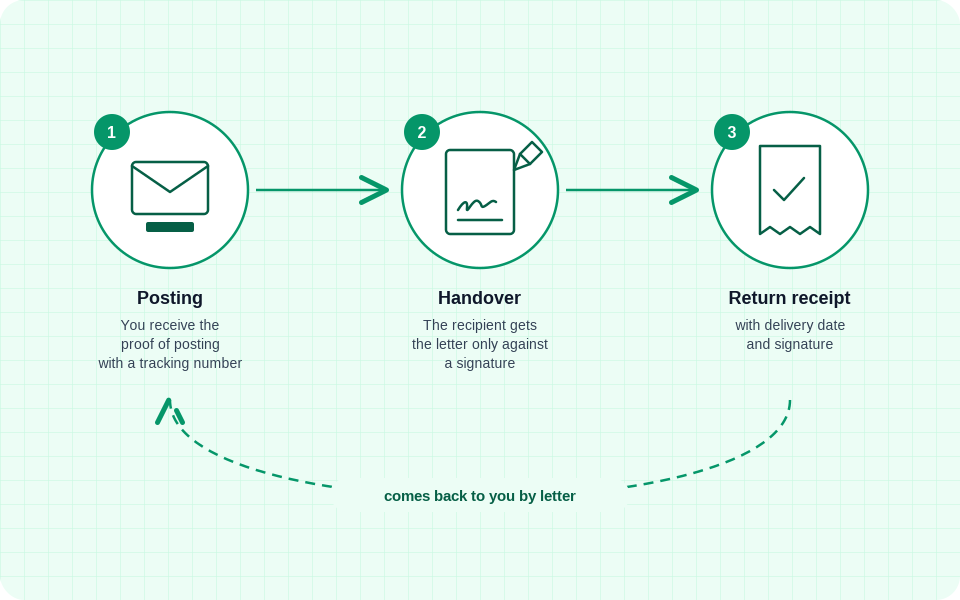
If receipt matters, send it as registered mail . With the tracking number from the dashboard you request the delivery receipt from Deutsche Post.
Quick response to problems
If a letter fails, for example because of an incorrect address, this is shown in the dashboard and, on request, in an email. That way you can correct the address and send the letter again.
Further overview: Sending methods and limits .
Every letter at a glance
Create your free account and keep an eye on every letter.