
Automate letter sending with Zapier
Connect briefsenden.com with more than 5,000 apps – from your CRM and accounting to your online shop. Create Zaps that send letters automatically as soon as a trigger fires.
 ZapierZapier
What is Zapier?
Zapier is the world's leading no-code automation platform. It connects more than 5,000 web apps with each other – without writing a single line of code. The principle is simple: a trigger in one app starts an action in another app.
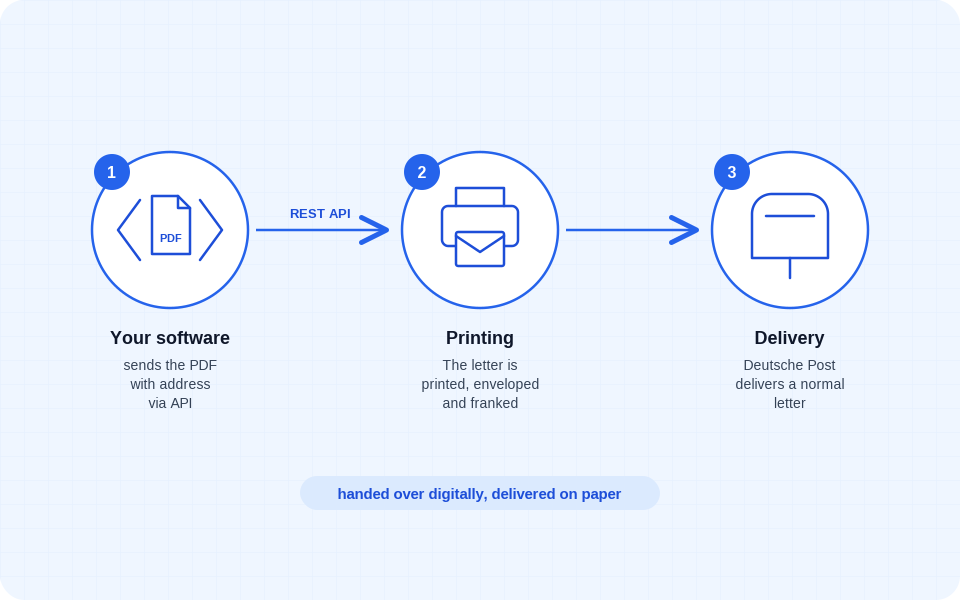
With the briefsenden.com integration for Zapier you automate your entire letter sending. As soon as an invoice is created in your accounting software, a contract is signed in your CRM or an order comes in to your shop, briefsenden.com automatically sends the matching letter – printed, enveloped and franked via Deutsche Post.
Setup takes a few minutes: choose a trigger, configure the briefsenden action, map the PDF template and recipient address – done. No code, no server, no maintenance.
Zapier
Integration partner
Example: invoice → letter
How to send invoices automatically by post as soon as they are created in your accounting software.
Trigger: new invoice
Lexoffice, sevdesk or DATEV creates a new invoice.
Retrieve PDF
Zapier retrieves the invoice PDF via the accounting API.
Map address
The recipient address is extracted from the invoice data.
Send letter
briefsenden.com prints, envelopes and franks the letter.
Track status
You receive a confirmation and can follow the sending status.
Set up the Zapier integration
Create a briefsenden account
Sign up for free at briefsenden.com and generate an API key under Settings → Developer.
Create a Zap
Create a new Zap in Zapier and choose your trigger (e.g. "New invoice in Lexoffice").
briefsenden as the action
Choose "briefsenden" as the action app and authenticate with your API key.
API key format: bv_live_xxxxxxxxxxxxxxxxxxxxxxxxxxxxxxxxMap fields
Map the PDF URL, recipient name, street, postcode and town from the trigger to the briefsenden fields.
Test & activate
Send a test letter in sandbox mode and activate the Zap once everything works.
Zapier and letter sending: use cases
How businesses use Zapier with briefsenden.com
Send invoices automatically
As soon as your accounting software creates an invoice, it is automatically printed and sent by post.
Payment reminders for late payment
Overdue invoices automatically trigger a reminder as a physical letter.
Contract documents by post
After a digital signature, the contract is automatically sent by registered mail to all parties.
Welcome packs for new customers
When a customer registers in the CRM, a personalised welcome letter is sent automatically.
Zapier webhook payload
{
  "pdfUrl": "https://example.com/rechnung-2024-001.pdf",
  "name": "Max Mustermann",
  "street": "Musterstraße 1",
  "zip": "10115",
  "city": "Berlin",
  "country": "DE",
  "color": "bw",
  "duplex": "simplex"
}
Frequently asked questions about Zapier
Everything you need to know about Zapier & briefsenden.com
Automate letter sending with Zapier
Connect your favourite apps with briefsenden.com and send letters fully automatically. Sign up for free and try it out in test mode.