Direct mail target groups come down to one simple question: who should receive this letter, and who should not? Every letter costs printing and postage. A well-chosen group of recipients saves money and makes the offer more relevant to readers.
Why the target group decides success
A strong text convinces nobody who does not need the offer. A plain letter, on the other hand, can go down well if it lands with the right person at the right time. The choice of recipients determines how many letters have a chance of a response at all.
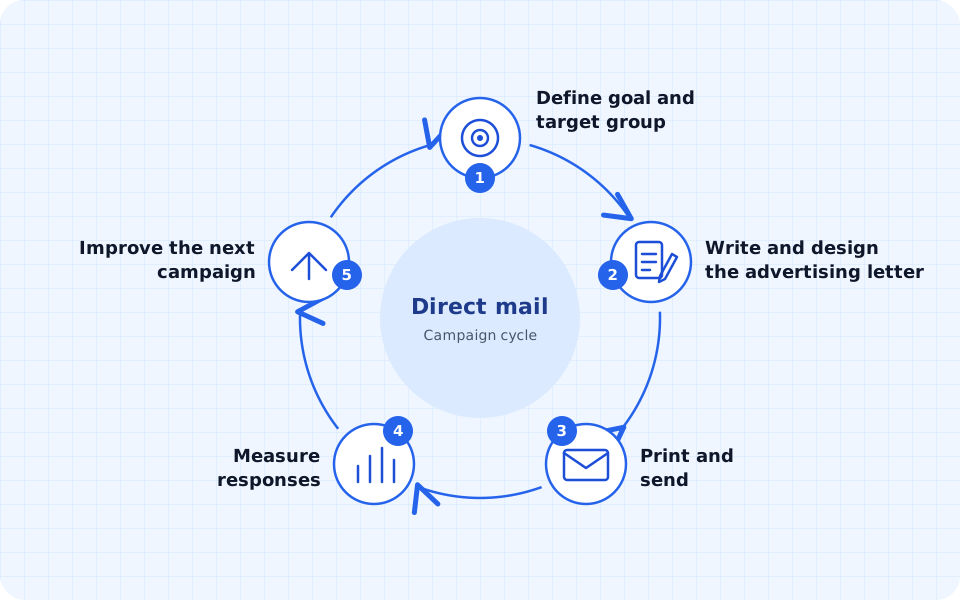
Then there is the arithmetic: letters to unsuitable or undeliverable recipients are wasted coverage. They raise the cost per response without achieving anything. The overview Direct mail shows how the target group fits into the whole process.
Existing customers and new customers
Existing customers and new customers differ in almost every respect:
| Aspect | Existing customers | New customers |
|---|---|---|
| Data situation | Purchase history, contact details and preferences are available | often only name, address and rough attributes such as region or industry |
| Approach | personal, referring to earlier purchases | introduction, building trust, a clear reason for the first contact |
| Offer | complement, repeat purchase, benefit for loyalty | low entry barrier, such as a trial offer or a consultation appointment |
| Address costs | no procurement, only upkeep | own research or rented addresses |
| Legal position | often based on the existing customer relationship | document the origin of the address and inform the recipient |
Which legal basis applies in each case and which information belongs in the letter is explained in the guide Advertising by post and the GDPR.
Segmenting target groups
Segmenting customers means dividing the recipients into groups with similar needs. Each group then gets a suitable offer. These criteria work in consumer business and in B2B:
| Criterion | Example B2C | Example B2B |
|---|---|---|
| Buying behaviour | customers who have not ordered anything for a year | companies that order consumables every spring |
| Region | households around a branch | businesses in your own delivery area |
| Life stage or company size | young families, retirees | sole traders, medium-sized businesses, large corporations |
| Industry | – | trades, doctors’ surgeries, property management companies |
| Interests | product categories bought, events attended | services enquired about, trade fair contacts |
| Channel preference | prefers ordering by phone to online | purchasing is driven by offers sent by post |
Start with a few segments. A further subdivision only pays off if it leads to a different offer or a different approach. Otherwise the effort rises without the letter getting better.
Regional segmentation
For local providers the region is often the most important attribute. Three approaches suggest themselves:
- Postcode areas: You filter your address list by postcodes. That works in any spreadsheet and needs no further data.
- Catchment area: Count which postcodes your existing customers come from. Where many customers already live, you know the demand, and the way to you is short.
- Proximity to a branch: With several locations, each region gets its own letter with the address and opening hours of the nearest branch.
Analysing customer behaviour
You do not need new data for a good selection. Much of it is usually available already:
- Orders and invoices: date, amount and products bought per customer.
- Enquiries and quotes: who looked into it but did not buy?
- Responses to earlier mailings: redeemed codes, calls, orders that refer to the promotion.
- Service contacts: complaints or maintenance appointments show which products are in use.
- Returned mail: letters that could not be delivered.
Export this data into a table with one row per customer. The RFM analysis builds on it.
RFM analysis explained
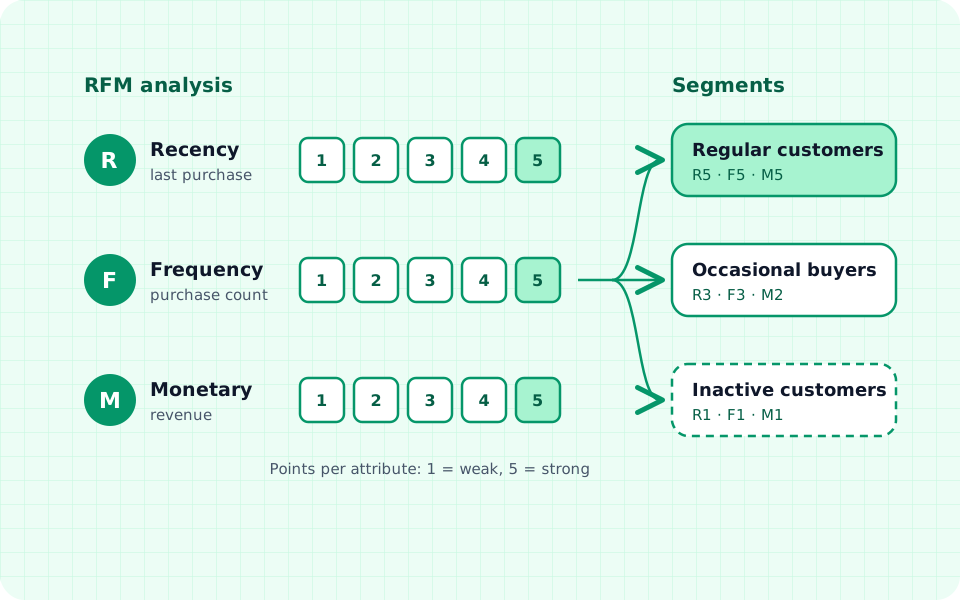
The RFM analysis scores customers on three attributes. Recency asks how long ago the last purchase was. Frequency counts how often someone bought in a fixed period. Monetary measures the revenue in that period. Someone who has bought recently, often and a lot is usually more likely to respond to an offer than someone who ordered once years ago.
How to proceed:
- Export data: one row per customer with customer number, date of the last purchase, number of purchases and revenue, for example for the last 24 months.
- Determine values: Work out for each customer the days since the last purchase, the number of purchases and the revenue in the period.
- Assign points: Sort the customers by each attribute and divide them into five equally sized groups (quintiles). The best group gets 5 points, the weakest 1. For the last purchase, the more recent it is, the more points.
- Form segments: Combine similar point combinations, for example all customers with high values in all three attributes.
- Define the message: Decide for each segment which offer and which tone fit, or whether it gets no letter this time.
Example with five invented customers
The points come from dividing a larger customer list into quintiles. Names and values are entirely invented.
| Customer | Last purchase | Purchases (24 months) | Revenue | R-F-M | Segment |
|---|---|---|---|---|---|
| Customer A | 3 weeks ago | 9 | €1,450 | 5-5-5 | regular customer |
| Customer B | 2 months ago | 1 | €60 | 4-1-1 | new customer |
| Customer C | 14 months ago | 7 | €980 | 2-4-4 | at-risk regular customer |
| Customer D | 5 months ago | 3 | €210 | 3-3-2 | occasional buyer |
| Customer E | 22 months ago | 1 | €45 | 1-1-1 | inactive customer |
Different letters follow from the segments:
- Regular customers: thanks, advance information on new products, discounts rather sparingly.
- New customers: help with the product bought and a reason for the second purchase.
- At-risk regular customers: a personal enquiry about why things have gone quiet, with a concrete reason to return.
- Occasional buyers: an offer that ties in with the previous purchases.
- Inactive customers: first test with a small group whether a letter is still worthwhile.
Improving address quality
The best segmentation is of little use if the letter does not arrive. Addresses go out of date through moves, name changes or deaths, and for companies through relocation, closure or a change of company name.
Recognising outdated addresses
- returned mail from earlier mailings
- long inactivity without a purchase, enquiry or other contact
- missing house numbers, postcodes or place names
- duplicates, such as “Musterstr. 5” and “Musterstraße 5” under the same name
- company addresses without a contact person or with people who have left
Maintaining address quality day to day
- Mandatory fields: Require street, house number, postcode and town when the data is entered.
- Format check: Check postcodes for five digits and standardise spellings.
- Record returned mail: Mark or correct undeliverable addresses immediately.
- Merge duplicates: before every export, not only after complaints about duplicate post.
With briefsenden.com every address is checked against DIN 5008 before dispatch. This check cannot tell whether the recipient still lives at the address; that remains part of your own address maintenance. You save recipients you write to regularly in the address book.
Personalisation by target group
Personalisation starts with the segment, not only with the name in the salutation. Adapt three things for each group:
- Offer: A trades business offers homeowners in older buildings heating maintenance, but new-build customers an extension of the system.
- Tone: Business customers expect factual information and a contact person, private customers rather a personal opening.
- Image: Motifs from the group’s world, such as a garden for homeowners or a workshop for businesses.
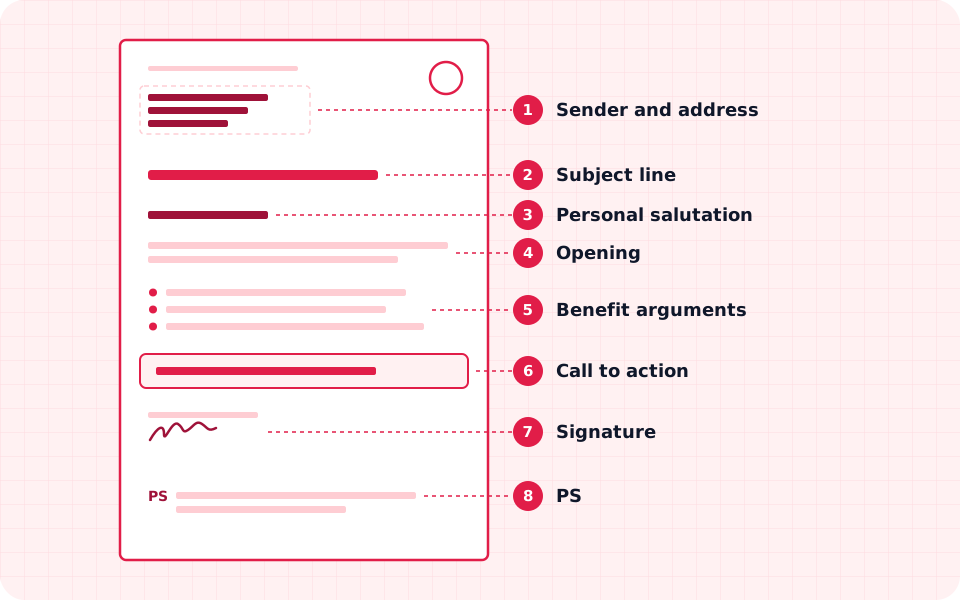
How to build the text itself and word the personal address is explained in the guide Writing an advertising letter.
Reducing wasted coverage
- Exclusions: people with an advertising objection, returned mail, customers with a purchase in the last few days, your own employees.
- Test group: With new segments, write to part of the group first and wait for the responses before the whole group gets mail.
- Control group: Deliberately do not write to a random part of the segment. The comparison shows what the letter actually achieved.
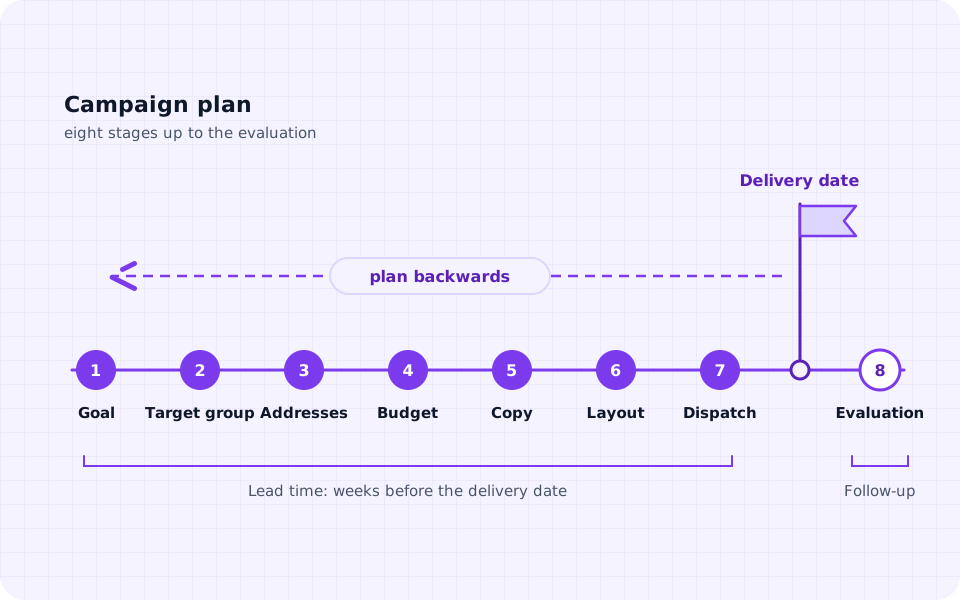
How to evaluate test and control groups is covered in the guide Measuring direct mail success. How the target group feeds into schedule and budget is shown in the guide Planning a direct mail campaign.
Taking data protection into account
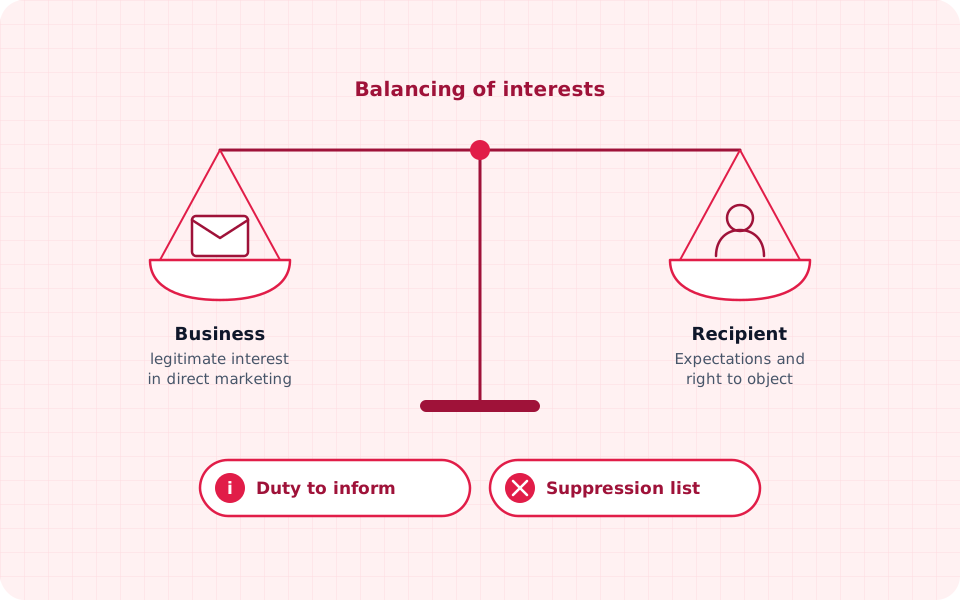
Name and address are personal data. For advertising letters you need a legal basis under the GDPR, often legitimate interest following a balancing of interests. The more data you evaluate and combine for the selection, the more carefully this balancing must be carried out.
Anyone who has objected to advertising no longer receives an advertising letter. Keep a suppression list for this and match every selection against it. The details are in the guide Advertising by post: what does the GDPR allow?.
Sending segments as a mail merge
With briefsenden.com you send each segment as a mail merge of its own. How to proceed:
- Filter the segment in your spreadsheet and export it as a CSV file. Name and address are enough for dispatch.
- Create a PDF template of its own with a suitable offer for each segment, or design it in the editor.
- Upload the CSV file and the template. First and last name from the address can be placed in the salutation as placeholders in the editor (instructions: Personalised letters). There is no automatic “Mr” or “Ms” salutation; use a neutral form such as “Hello «First name» «Last name»,”.
- Check the preview and the process in test mode, without anything being printed or any costs arising, then send.
The mail merge does not take over further data fields such as revenue or last purchase. Everything that differs by segment therefore belongs in the respective template. If you need content for each recipient, such as a code of its own, generate the letters beforehand and upload them as a combined PDF. All functions are shown on the page Mail merge with a CSV address list.